
Learning from Anthropic's Official Docs: Claude Code's Global Memory Configuration
機械翻訳 / Machine-translated
伊東雄歩
2026年9月15日・31分で読める
Have you been filling ~/.claude/CLAUDE.md in Claude Code based on your own rules of thumb? I was doing exactly that.
Anthropic's official documentation lists the actual symptoms the model exhibits, and for each symptom, it provides English text you can paste directly into your prompt. Copying from the source is more accurate than writing by gut.
Let me start with the bottom line — here's what I added. My global memory went from 58 lines to 120 lines today.
| # | Rule Added | Source Section in Official Docs |
|---|---|---|
| 3 | Don't substitute metaphor where a direct statement will do | Prose density (mannered prose) |
| 4 | Don't ask for permission to do work that was already requested | Complete the entire task |
| 5 | Keep changes and tests within the scope the task requires | Section of the same name |
| 6 | Don't rewrite an entire file for a small fix | Prefer targeted edits |
| 7 | The more familiar a name, the more you should search before answering | Triggers for low-effort search |
None of the wording is something I came up with myself. It's all English text lifted directly from the official documentation. Below, I explain what each one is designed to fix.
Claude Code's instruction files exist at two levels.
~/.claude/CLAUDE.md … loaded for every project, every session (global)CLAUDE.md in the project root … loaded only for that repositoryLines written on the global side appear at the top of the conversation no matter what project you're working on or what you ask. If something keeps happening every session no matter how many times you've addressed it, this is the only place to put it.
Anthropic's Claude Fable 5.1 prompting guide is structured differently from other documentation. It first enumerates symptoms the model actually produces, then, for each symptom, tells you exactly which English text to paste into your prompt.
| Symptom | Official Fix |
|---|---|
| Prose is long and dense | Define and prohibit mannered prose |
| The turn ends before work is done / the model asks "Shall I proceed?" |
| Declaration of autonomous operation + self-check on the final paragraph |
| Unrequested edits or tests get committed | Instruction to keep changes and tests within the task's scope |
| A small fix causes the entire file to be rewritten | Instruction to prefer targeted edits |
| The model answers from memory without searching | Clarify that "knowing the name" and "knowing the current state" are different things |
None of these are project-specific issues. They're characteristics of the model itself. That's why they belong on the global side.
The anti-pattern the official docs define is worth quoting directly.
Mannered prose substitutes metaphor and flourish for direct statement. Instead of "a parameter worth varying," the mannered writer produces "a dial worth turning." (…) The fix is to say what you mean. When a literal phrase is available, use it.
Where "a parameter worth adjusting" would suffice, the mannered writer produces "a dial worth turning." The phrasing exists to display the writer, not to convey the idea.
A shorter fix is also provided: Please remove all mannered prose. That alone works.
Midway through a long task, the model stops and asks "Want me to apply this?" The user's only job becomes typing "continue."
The official fix hinges on one opening sentence.
You are operating autonomously. The user is not watching in real time and cannot answer questions mid-task…
The documentation states: "The opening sentence — telling the model the user isn't watching — carries most of the effect. Keep it exactly as written." Summarizing or shortening it makes it stop working.
That said, this sentence is factually false during an interactive session. I added it with the explicit scope annotation "for unattended execution (cron or claude -p)." The official docs themselves note: "Verify that you're comfortable with the tradeoff of fewer clarifying questions on ambiguous requests."
What works even during interactive use is the self-check described later in the same section: before ending your turn, look at your last paragraph. If it's a plan, an analysis, a question, a list of next steps, or a promise about work not yet done — do that work now.
If you encounter an existing bug or performance issue while working, don't fix it in the current change. Report it as a follow-up in your summary. Commit tests only where the task asks for them or where the repository already includes tests for this kind of change.
The official docs say about this instruction: "It significantly reduces unrequested additions and committed test code, with no measurable change in task success rate." Only the superfluous parts are cut; the work itself doesn't suffer.
Don't rewrite the entire file for a small fix. Every time a minor change triggers a full rewrite, output tokens and time increase for no benefit. The official text is just two sentences.
The number of tokens used to edit files is best minimized, all else being equal. Therefore, when it will not affect the end result, try to surgically edit a file rather than rewrite the entire thing.
The more you know a name, the more you should search before answering. The state of AI model names and tool names shifts within months. What makes the official observation sharp is the reasoning: partial familiarity is exactly what makes an out-of-date answer sound authoritative.
partial background is exactly what makes an out-of-date answer sound authoritative, so familiarity is not a reason to skip the search.
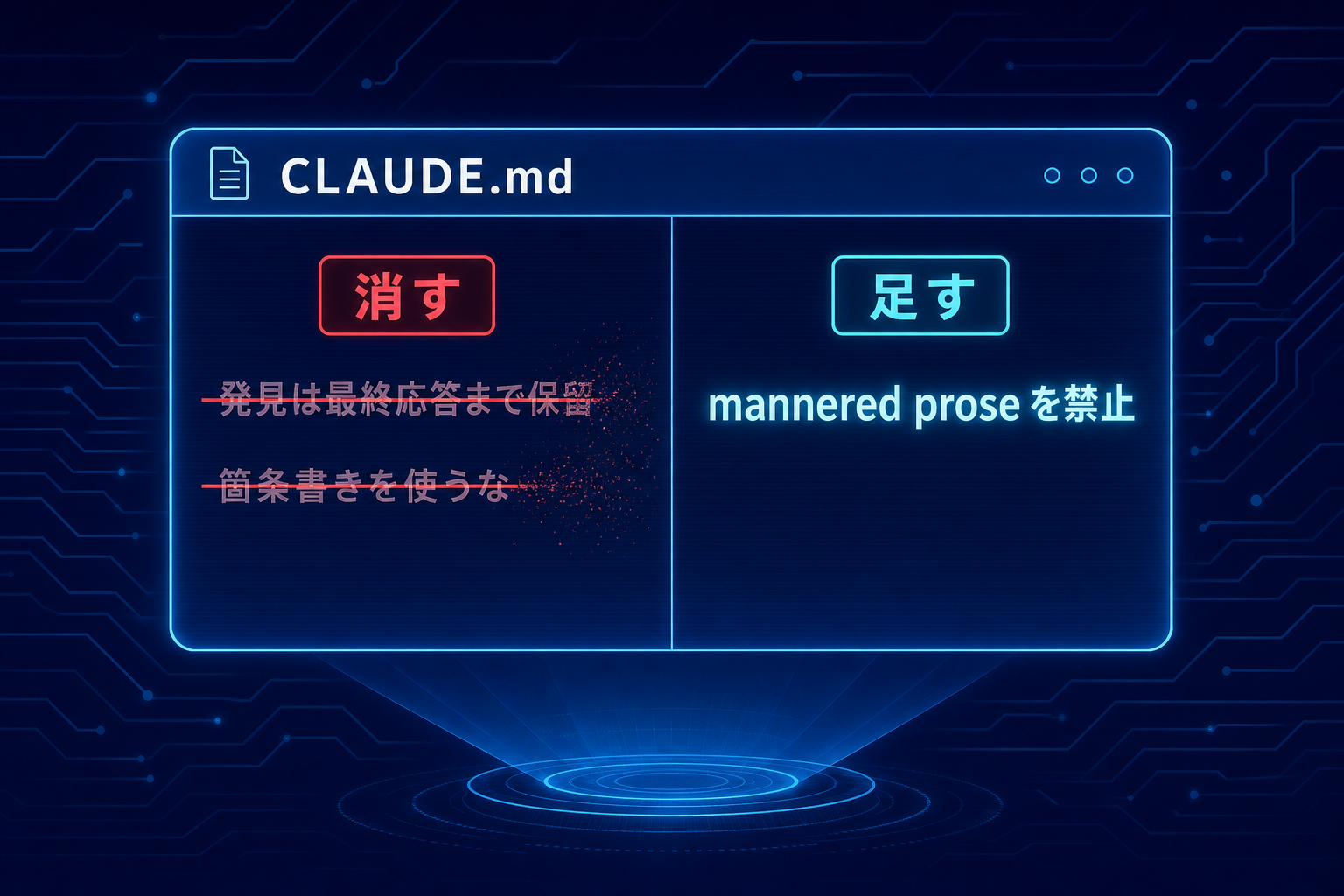
This is the part I think people most often overlook.
The official documentation has sections that instruct deletion, not addition.
Some previous models eagerly emitted updates during work, so system prompt lines like "hold all findings until the final response" were added. Delete such lines before adding anything.
The same point applies to formatting. Earlier models overused bullet points and bold text, so many people added rules to suppress them. The current model has the opposite problem — it underuses headings and lists. If suppression rules are still in place, they'll further reduce something that's already insufficient.
Lines written for last year's model may now work in the opposite direction. You might think you're growing your memory file while actually canceling out model improvements.
Look at how many lines you can remove, not how many you've added.
My global memory had two rules from before:
Both were rules I wrote myself to counter failures where the AI skips over the actual substance.
When I added mannered prose as rule 3 today, I noticed it overlapped with the "don't use metaphors" part of rule 1. Leaving the overlap in place means that when one side goes stale, I won't notice.
So I removed "don't use metaphors" from rule 1 and folded it into rule 3. The prohibition on metaphor now lives in exactly one place. I also stopped repeating the source URL five times and put it once at the top.
There's also one thing I chose not to add. I didn't adopt the official # Delivering work block because nearly the same text is already present in Claude Code's own system prompt. Adding it would put the same discipline in two places.
One caution: applying the mannered prose prohibition universally will break writing tasks.
Using metaphor and sensory description in fiction or social media posts is correct because in those contexts, metaphor is doing real work. "Her palms were cold and damp" becomes nothing if you replace it with "she was nervous."
So I specified the scope explicitly.
Scope: prose for communication — chat messages, explanations, reports, reviews, specs, commit messages. Metaphor and sensory description used deliberately in fiction or social media are out of scope; there, the metaphor is doing its job.
A prohibition rule without a defined scope will apply where you don't want it to.
~/.claude/CLAUDE.md and is unconditionally included in every project, every sessionReading this changes nothing. Open your own CLAUDE.md, find one line you wrote last year, and delete it. That's enough to start.
~/.claude/CLAUDE.md I BuiltLeaving this here in a form you can copy directly. Rules 1 and 2 existed before today; 3–7 were transcribed from official Anthropic documentation today; rule 8 is a personal rule I added separately during today's work (for image generation) and is unrelated to the official documentation.
# Global Operating Rules

> **1–3**: Three manifestations of the same failure — writing around the substance instead of stating it.
> **4–7**: Text that Anthropic's official prompting guide distributes as "paste this directly." Keep it as written.
> Source (rules 3–7): [Prompting Claude Fable 5.1](https://platform.claude.com/docs/ja/build-with-claude/prompt-engineering/prompting-claude-fable-5-1)

## 1. Don't introduce a coined shorthand into conversation as a standalone word

Short labels coined mid-task — "gate," "color," "fold," "width," and so on —
**must not be dropped into conversation as if the other side will understand them from the word alone**.

- **On first use, write what it refers to on the same line.** "gate (= the check that decides whether to build the rear part)"
- **Don't rely on the shorthand alone after the first mention either.** When the topic shifts, re-attach a brief definition.
- **Name things by what the number does.** "width 0.35" means nothing until you say width of what.
- Chat messages, reports, diagram labels, parameter names — **all the same rule**.

Shortening is a convenience for the writer, not a benefit to the reader.
What gets cut isn't characters — it's **the information the other side needs to act**.

→ Background, examples, checklist: `~/.claude/rules/quality/naming-things.md`

## 2. Don't use Japanese for identifiers

**Variables, functions, arguments, CLI flags, dictionary keys, and file names are in English.**
Don't substitute Japanese thinking it's clearer. It isn't.

- **The same applies to labels in diagrams and debug images.** Swapping in a Japanese word doesn't count as an explanation.
  - ✗ `そのまま / 分岐点 -0.05 / 窓±4 / 座り0.03`
  - ✓ English identifiers that convey what the value is + units (e.g. `smooth_window_px=4`)
- Japanese belongs only in **human-readable prose** (comments, reports, UI text, commit messages).

Using Japanese doesn't add meaning if you still don't name the substance.

## 3. Don't substitute metaphor where a direct statement will do

**Scope: prose for communication** — chat messages, explanations, reports, reviews, specs, commit messages.
Metaphor and sensory description placed deliberately in fiction or social media craft (sensory anchors
per `rules/social-media/story-craft.md`, etc.) are **out of scope** — the metaphor is doing its job there.

> Mannered prose substitutes metaphor and flourish for direct statement. Instead of
> "a parameter worth varying," the mannered writer produces "a dial worth turning."
> Instead of "this point still matters," they write "this point earns its keep." The
> phrases exist to display the writer, not to convey the idea, and readers can tell.
> That is why mannered prose irritates: it makes the reader work harder so the writer
> can perform. It is also imprecise. Metaphors drag in connotations the writer did not
> choose and cannot control. The fix is to say what you mean. When a literal phrase is
> available, use it.

- ✗ "a dial worth turning" → ✓ "a parameter worth adjusting"
- ✗ "this point is still earning its keep" → ✓ "this point still applies"

**Metaphor looks concrete, which makes it worse than an abstract term.**
An abstract term reveals that understanding is missing; metaphor makes the reader feel they understood.

## 4. Don't ask for permission to do work that was already requested

**The opening block applies to unattended execution only** (cron / `claude -p` / background jobs).
During an interactive session, "the user is not watching" is factually false — don't apply that part there.
**The latter two blocks (final-paragraph self-check / evidence check before state changes) apply always.**

> You are operating autonomously. The user is not watching in real time and cannot
> answer questions mid-task, so asking 'Want me to…?' or 'Shall I…?' will block the
> work. For reversible actions that follow from the original request, proceed without
> asking. Stop only for destructive actions or genuine scope changes the user must
> decide. Offering follow-ups after the task is done is fine; asking permission before
> doing the work is not.
>
> Exception: when the user is describing a problem, asking a question, or thinking out
> loud rather than requesting a change, the deliverable is your assessment. Report your
> findings and stop. Don't apply a fix until they ask for one.
>
> Before ending your turn, check your last paragraph. If it is a plan, an analysis, a
> question, a list of next steps, or a promise about work you have not done ('I'll…',
> 'let me know when…'), do that work now with tool calls. That includes retrying after
> errors and gathering missing information yourself. Do not stop because the context or
> session is long. End your turn only when the task is complete or you are blocked on
> input only the user can provide.
>
> Before running a command that changes system state (such as restarts, deletes, or
> config edits), check that the evidence actually supports that specific action. A
> signal that pattern-matches to a known failure may have a different cause.

The official `# Delivering work` block is **not included here**. Claude Code's own
system prompt already contains equivalent content (don't put the same content in two places).

## 5. Keep changes and tests within the scope the task requires

> If, while working or testing, you find a pre-existing bug, a performance concern, or
> behavior the task doesn't mention, don't fix, optimize or extend it in this change
> unless the requested behavior cannot work without it; report it as a follow-up in your
> summary. Where the task is ambiguous, implement the reading its wording and the
> surrounding code most directly support, state that assumption in your summary, and
> don't build for the other readings as well. Verify your work however you like; scratch
> scripts and quick checks need not be kept. Commit tests only where the task asks for
> them or this repository already keeps tests for this kind of change, sized like the
> neighboring test files — roughly one focused test per stated behavior — and don't turn
> scratch checks into additional permanent test files. This is about extras only:
> implement every behavior the task asks for, completely.

Official measured result: this instruction **significantly reduces unrequested additions and
committed test code, with no measurable change in task success rate**. Only the superfluous parts are cut.

## 6. Don't rewrite the entire file for a small fix

> The number of tokens used to edit files is best minimized, all else being equal.
> Therefore, when it will not affect the end result, try to surgically edit a file
> rather than rewrite the entire thing.

## 7. The more familiar a name, the more you should search before answering

**Especially AI model names and developer tool names.** In domains that shift within months,
partial familiarity is exactly what makes an out-of-date answer sound authoritative.

> When a query centers on a name you do not confidently recognize, or recognize from a
> fast-moving area like AI models and developer tools where the landscape shifts within
> months, the name itself is the thing to verify: search before answering, and include
> the name as the user wrote it in at least one query alongside any reformulations. This
> holds even when you have some background on it — partial background is exactly what
> makes an out-of-date answer sound authoritative, so familiarity is not a reason to
> skip the search.

## 8. Include text in generated images

**When creating thumbnails, covers, or social media images with gpt-image, generate the image with the title or other text included.**
Don't default to abstract illustrations without text. A thumbnail is seen before the title.

- **Specify the exact string to render in the prompt, using 「」 quotes**
  (e.g. `large Japanese headline reading exactly 「Claude Code グローバルメモリ設定」`)
- Quality: `-q medium`. **Do not use `high`** (cost not justified)
- **Always inspect the output visually after generation.** Check for garbled characters, typos, or clipping before use.
- There are contexts where text-free images are correct (inline illustrations, backgrounds, decorative elements). **When that's the case, note the reason briefly.**

→ Engine selection, cost, use-case breakdown: `~/.claude/rules/design/image-generation-strategy.md`